


When a store sells lightweight small items alongside large, fragile, or specially packaged products, relying on a single flat shipping rate often eats into profits. This tutorial breaks down how to set up WooCommerce shipping classes, configure class costs within flat rate shipping, and understand the combined charging logic — ideal for stores with significant shipping cost differences.
First Determine If You've Already Moved Past the Flat Rate Shipping Stage
If all products have similar dimensions and logistics costs, a uniform shipping rate may be acceptable; but once the product line varies significantly, continuing to force a single price usually results in either scaring off customers with high fees or losing money with rates that are too low. The purpose of shipping classes is to first group products with similar cost structures.
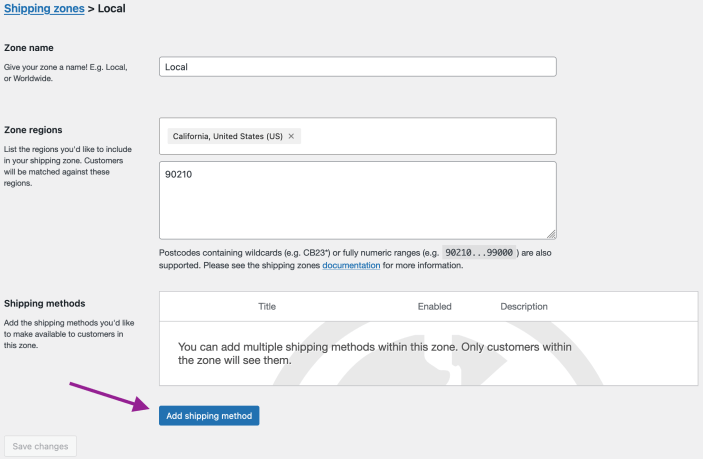
Shipping classes are ideal for grouping bulky, small, or specially packaged items first. Image source: WooCommerce official documentation screenshot, used for tutorial reference.
Step 1: Set up shipping classes based on logistics costs, not marketing campaigns
Shipping classes are better categorized by real logistics differences such as bulky, small, expedited packaging, cold chain, or oversized items. Don't create classes based on marketing concepts like "best sellers" or "new arrivals," or flat rate rules will become increasingly difficult to maintain over time.
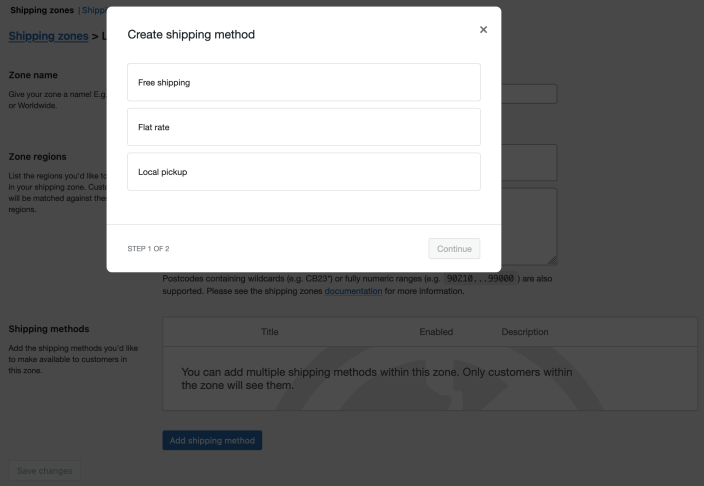
Flat rate shipping supports setting separate costs for different shipping classes. Image source: WooCommerce official documentation screenshot, used for tutorial reference and illustration.
Step 2: Set Costs for Each Shipping Class in Flat Rate Shipping
After creating the classes, go to the flat rate shipping method and fill in the class costs. You can set higher fees for bulky items, keep a low threshold for lightweight small items, while retaining the base shipping rate, so the cart still follows an explainable charging logic across different product combinations.
Step 3: Decide How to Charge When Items from Multiple Classes Appear in the Same Order
The key choice lies in whether to charge based on the single most expensive class or to accumulate the costs of each class. If your products are often bought in mixed combinations, this decision directly affects average order value and complaint rates, so it should be determined by real logistics costs rather than just what looks easy to sell on the front end.
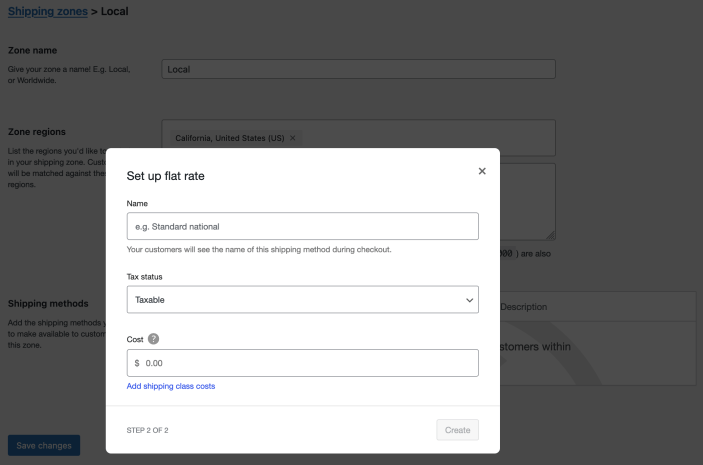
When items from multiple shipping classes appear in the same order, you should first decide whether to charge based on the highest class or cumulatively across all classes. Image source: WooCommerce official documentation screenshot, used for tutorial reference.
Step 4: Test checkout with mixed carts
Prepare at least three cart tests: all small items, all bulky items, and a mix of small and bulky items. If the frontend charge results don't match your expectations, it's usually because products haven't been assigned to the correct shipping class, or the class cost rules in the flat rate shipping method aren't fully configured.
Practical checklist
- Shipping classes are divided by actual logistics differences, not by marketing concepts.
- Every product requiring differentiated billing has been assigned the correct shipping class.
- Class costs and default cost have been filled in under flat rate shipping.
- It has been clearly decided whether mixed carts charge by the highest class or cumulatively.
- Checkout results for small items, large items, and mixed carts have all been tested.
Shipping classes mainly address the issue of "different products having different costs," so don't mix their configuration with promotional free shipping. After setting rates for large and small items, you can continue to check Shipping zones the base shipping cost inFree shipping trigger conditions, and if there is an in-store pickup scenario, review separately Local pickup settings。
Frequently asked questions
What's the Difference Between Shipping Classes and Shipping Zones?
Shipping zones address where items are shipped to, while shipping classes address what is being shipped. One is divided by destination, the other by product logistics attributes — many stores need to use both simultaneously.
Does Every Product Need to Be Assigned a Shipping Class?
Not necessarily. Only products that genuinely require differentiated logistics costs need separate classes; regular products can continue using the default cost to avoid overly complex rules.
When Purchasing a Mix of Bulky and Small Items, How Should Shipping Be Charged More Reasonably?
It depends on the actual carrier costs. If the large item already covers the main shipping cost, you can charge based on the highest class; if each class adds packaging or transportation costs, accumulating them is more reasonable. The key is to test with real order scenarios first.
Join the discussion
You must log in to post a comment.
After logging in, you can join the discussion. New users can register an account for free.
Do not post spam comments, advertisements, or content with malicious links. Comments must comply with relevant laws, regulations, and community guidelines.