


If WooCommerce product attributes are casually filled in at the beginning, two problems easily arise later: the frontend filtering becomes hard to use, and the backend variant specifications get messier. This tutorial focuses on three high-frequency scenarios—global attributes, frontend filtering, and variant linkage—to help you stabilize your attribute system first.
First, distinguish what problems attributes, categories, and tags solve respectively.
Categories are more like a directory structure, tags are supplementary content, while attributes are specification layers for customers to compare and filter products. If information like color, size, and material will be used repeatedly, you should make them global attributes first, instead of rewriting them temporarily for each product.
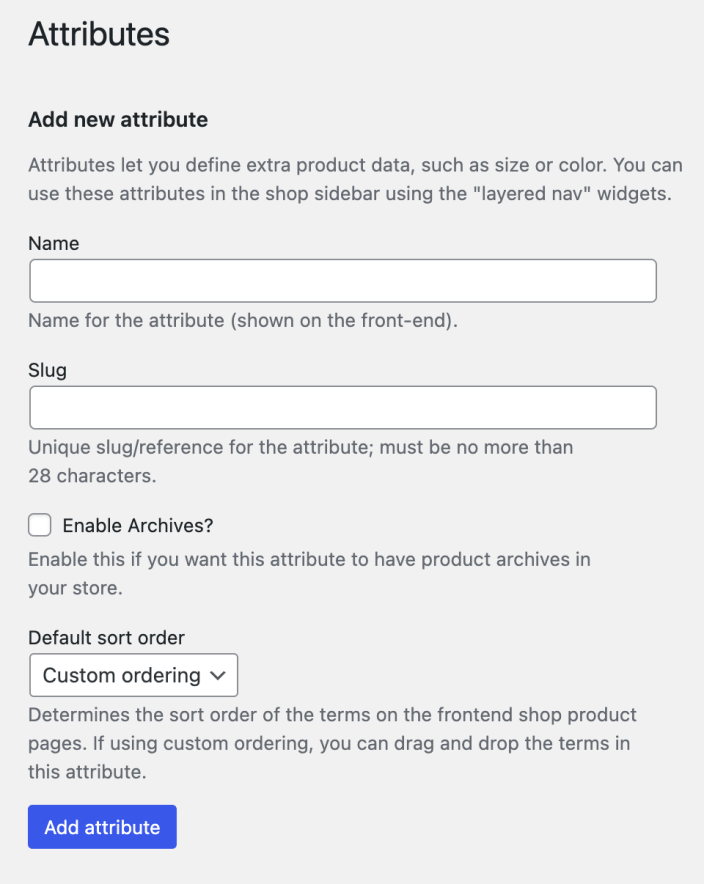
Global attributes are suitable for uniformly managing specifications like color, size, and material that need to be reused. Image source: WooCommerce official documentation screenshot, used for tutorial citation.
Step 1: Create reusable global attributes first.
What should be built as global attributes are usually specifications shared across multiple products. Once made into global attributes, they can be entered uniformly later, making variant creation and frontend filtering easier, and avoiding the need to invent a writing style for each product.
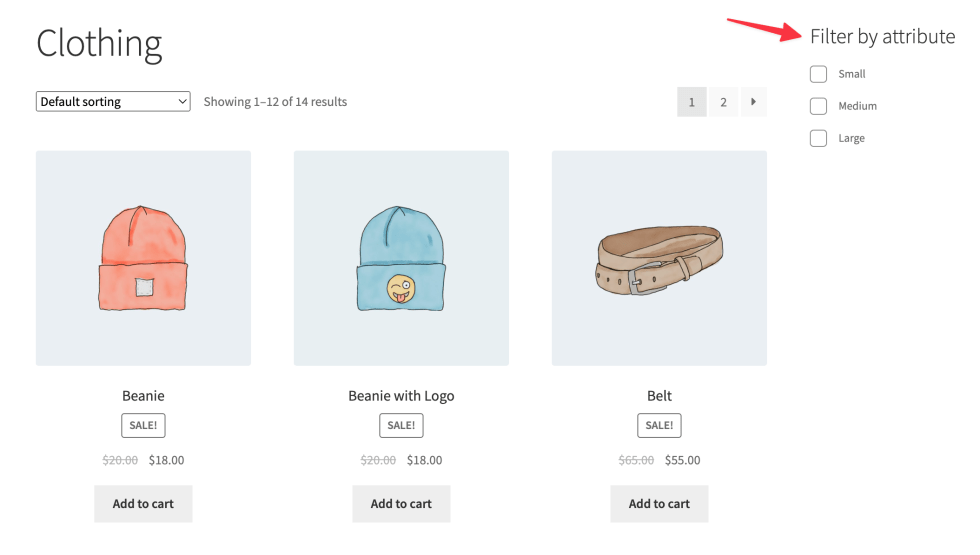
Attributes not only affect backend entry efficiency but also directly relate to the frontend filtering experience. Image source: WooCommerce official documentation screenshot, used for tutorial citation.
Step 2: Let attributes truly participate in frontend filtering.
Many stores fill in attributes very thoroughly in the backend, but there is no frontend filtering entrance, so customers still have to click through each product one by one. If your product line has obvious specification differences, attribute filtering can directly reduce bounce rates and help customers quickly locate suitable models.
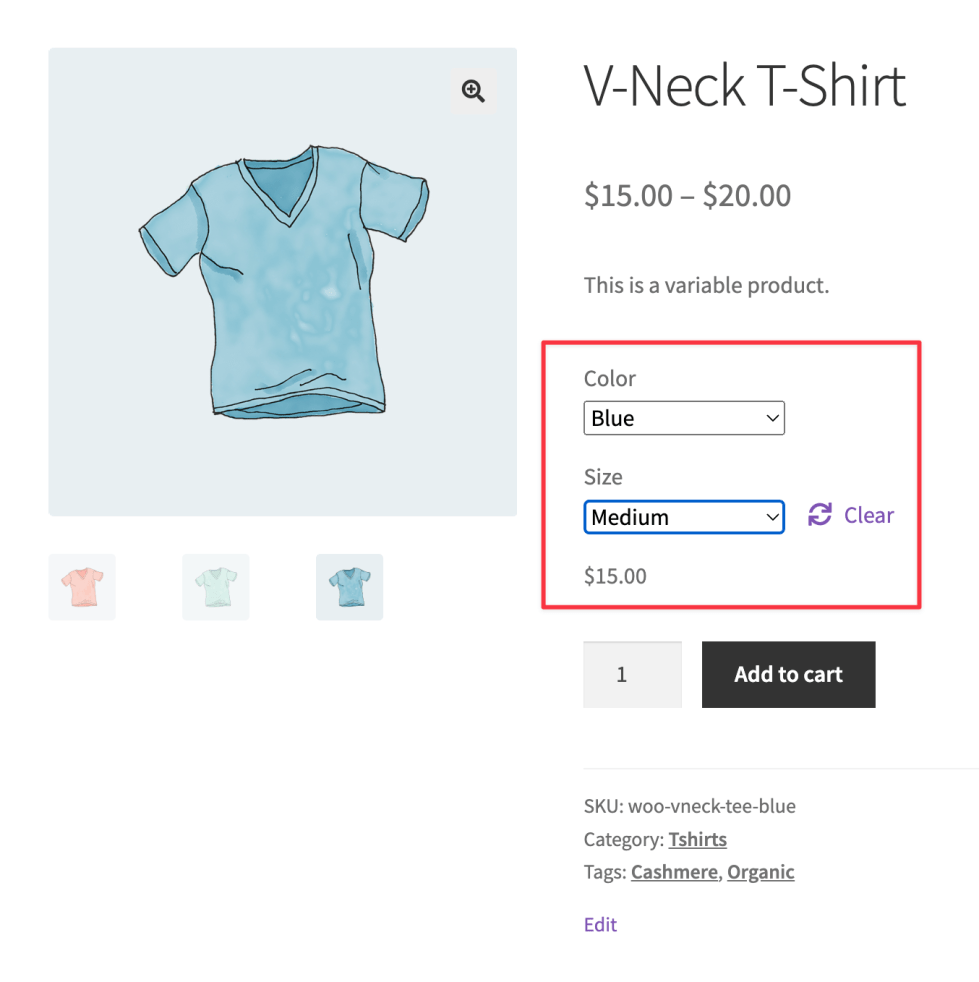
The variant combinations of variable products depend on whether attribute values are clearly defined first. Image source: WooCommerce official documentation screenshot, used for tutorial citation.
Step 3: Only use attributes for variants when specification linkage is needed.
Not all attributes need to be made into variants. Only when different colors, sizes, or specifications require separate prices, inventory, or images is it worth generating variants further. Otherwise, just keep them as display attributes, and the backend will be lighter.
Step 4: Spot-check whether the product page, filters, and variant combinations are consistent.
Before going live, at least check three things: whether the product page correctly displays attributes, whether frontend filtering can hit results, and whether variant combinations are missing no specifications. If filtering criteria don't match the actual product specifications, customers will feel the catalog is chaotic, and subsequent optimization will be very difficult for operations.
Practical checklist
- Reusable specifications like color, size, and material have been built as global attributes.
- There is a clear attribute filtering entrance on the frontend, not just recorded in the backend.
- Only specifications that need independent pricing or inventory are generated as variants.
- Attribute naming remains consistent, with no synonymous duplicate entries.
- Spot-checked whether the product page, filtering results, and variant combinations are consistent.
After attribute settings are completed, you need to see which scenario they ultimately serve: when used for filtering, the focus and Product category structure Used together; for specification selection, continue configuration Variable Product and Variant swatch display; when batch maintaining attributes, use again CSV Import Verify in small batches.
Frequently asked questions
Which is more important, WooCommerce attributes or categories?
The two serve different purposes. Categories handle catalog structure, while attributes handle specification comparison and filtering. The more complex the product line, the more indispensable the attribute system.
Should all attributes be made into variations?
It shouldn't be. Only attributes that affect price, inventory, images, or actual purchase choices are suitable as variants, otherwise backend maintenance costs will quickly rise.
What usually goes wrong when frontend filtering isn't working well?
Common reasons include inconsistent naming of attribute values, some products missing attributes, or the theme/filter component not properly hooking the corresponding attributes into the frontend filtering logic.
Join the discussion
You must log in to post a comment.
After logging in, you can join the discussion. New users can register an account for free.
Do not post spam comments, advertisements, or content with malicious links. Comments must comply with relevant laws, regulations, and community guidelines.