


As your product count grows, the messy part of the WooCommerce backend isn't payments or shipping—it's when categories, tags, and attributes are treated as the same thing. This tutorial uses official documentation screenshots to break down their roles, making it easier for you to handle navigation, filtering, and product page SEO later.
First, distinguish the roles of categories, tags, and attributes
Categories are more like a main directory, defining the store structure and navigation entry points; tags are suitable for horizontal topic supplementation; attributes mainly serve specification display and filtering. Once these roles get mixed up, you'll end up with duplicate directories, chaotic filtering, and content that is hard to maintain.
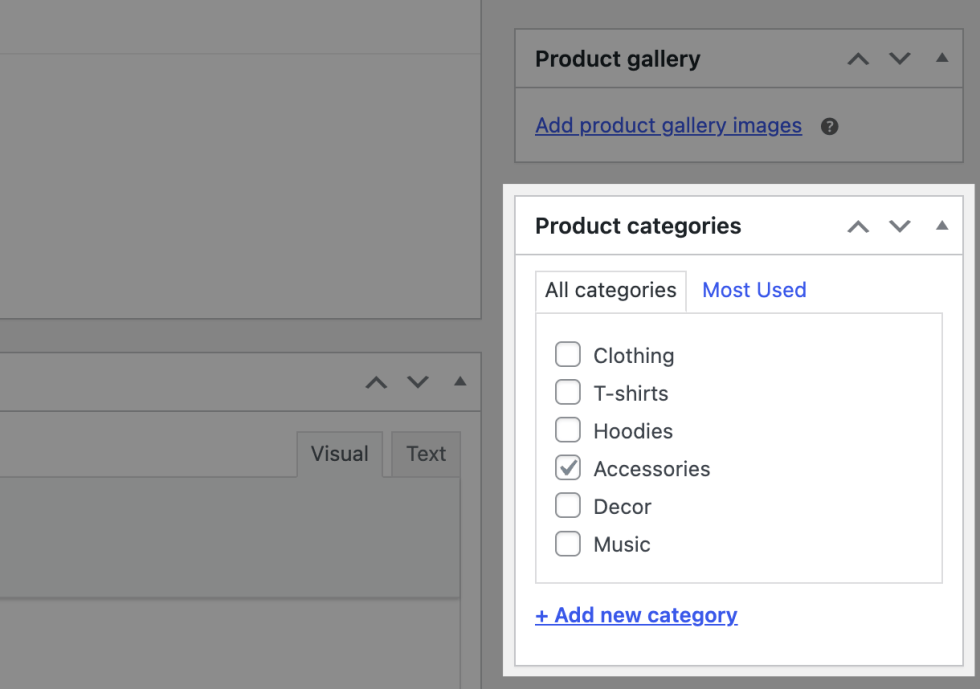
You can directly create or check categories when editing a product. Image source: Screenshot from WooCommerce official documentation, used for tutorial illustration purposes.
Step 1: Build the main category skeleton first
Categories should be designed based on user browsing paths first, not broken down by internal purchasing or warehouse logic. Front-end users usually look for product types first, then specific specs, so keep category hierarchies not too deep and make core category names intuitive.
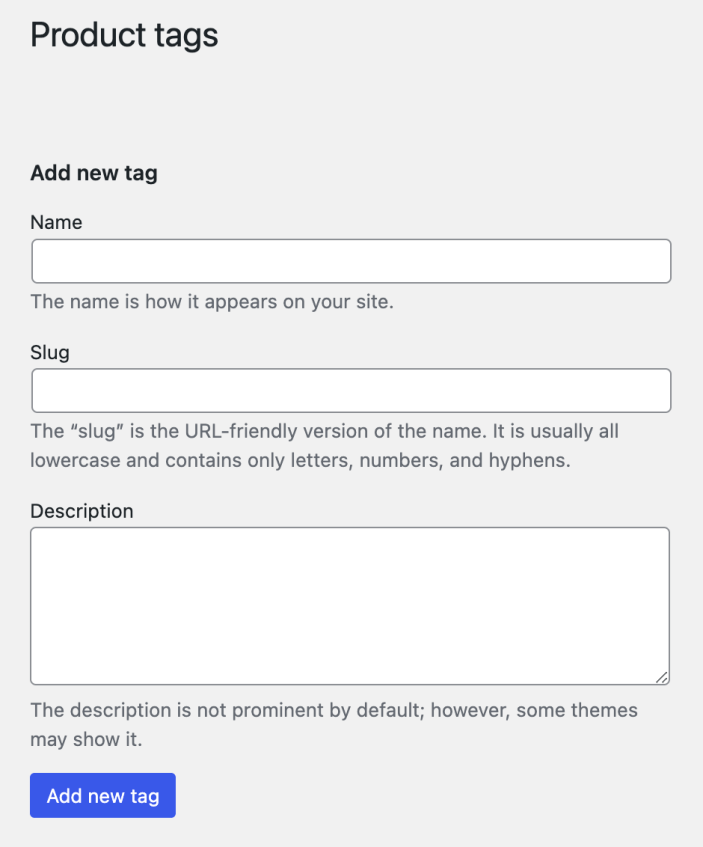
Tags are more suitable for supplementing horizontal themes such as material, style, and holiday. Image source: Screenshot from WooCommerce official documentation, used for tutorial illustration purposes.
Step 2: Add tags for topic aggregation
Tags are suitable for supplementing horizontal themes like “holiday gifts,” “eco-friendly materials,” and “best sellers.” They are not meant to replace main categories or to manage all specifications; otherwise, you'll end up with a large number of low-quality archive pages later.
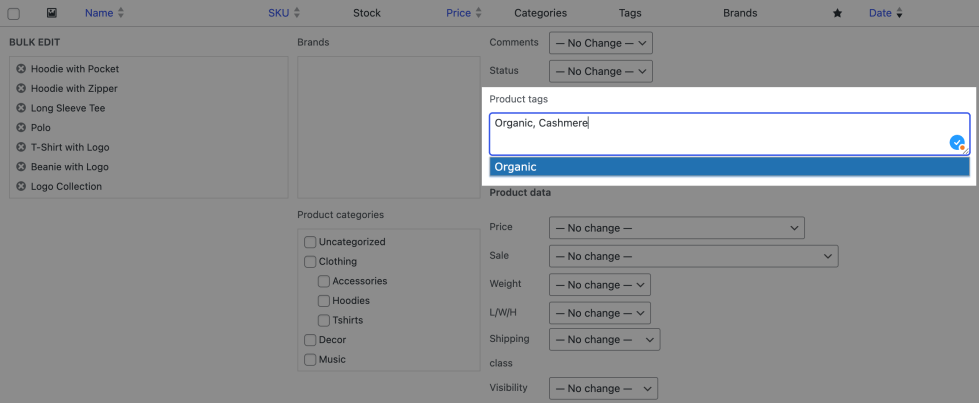
Bulk editing can be used to unify the category and tag structure of existing products. Image source: Screenshot from WooCommerce official documentation, used for tutorial illustration purposes.
Step 3: Consolidate specification-type information into attributes
Fields like color, size, material, and capacity are better built as attributes. If you plan to create variable products, filters, or variation swatches later, keeping attribute names consistent ahead of time will save a lot of rework.
Step 4: Regularly batch-organize old products
After adjusting the category structure, remember to batch check old products. Many sites have well-designed new structures, but historical products are still under old categories, leaving the front-end navigation and filtering results still messy.
Pre-launch checklist
- Core categories are named based on user browsing habits, not internal jargon.
- Tags are used for topic supplementation, not to duplicate categories.
- Specification information should be uniformly written into attributes for easier filtering and variant management.
- Old products have been batch migrated to the new structure.
- The navigation menu and category archive pages have all been updated synchronously.
After the categories, tags, and attributes are well organized, product entry will be much smoother. When bulk listing later, you can carry this structure into Product CSV Import, and then continue with products that require specification linkage Product Attributes and Variable Product; if you want your category pages to also capture organic search traffic, you can further review WordPress category page SEO。
Frequently asked questions
Both product categories and tags can create archive pages, so why keep them separate?
Because they serve different user intents. Categories are for main path navigation, tags are for horizontal topic aggregation, and mixing them disperses both navigation and SEO.
Should colors and sizes be created as tags or attributes?
Should be built as attributes first, because this type of information typically needs to participate in filtering, variations, or specification display and is not suitable to exist only as tags.
Is finer category hierarchy always better?
No. Deep hierarchy increases maintenance costs and makes it hard for users to quickly find products on mobile. Most stores only need 2 to 3 levels.
Join the discussion
You must log in to post a comment.
After logging in, you can join the discussion. New users can register an account for free.
Do not post spam comments, advertisements, or content with malicious links. Comments must comply with relevant laws, regulations, and community guidelines.